Orderflow Plugin
The Profile.
On your own chart.
Market-maker gamma levels drawn on the futures chart you already trade: what the quantedOptions Profile shows, how to read it, and how it runs on each platform — a short film each, every picture real footage.
In 108 seconds
The whole plugin
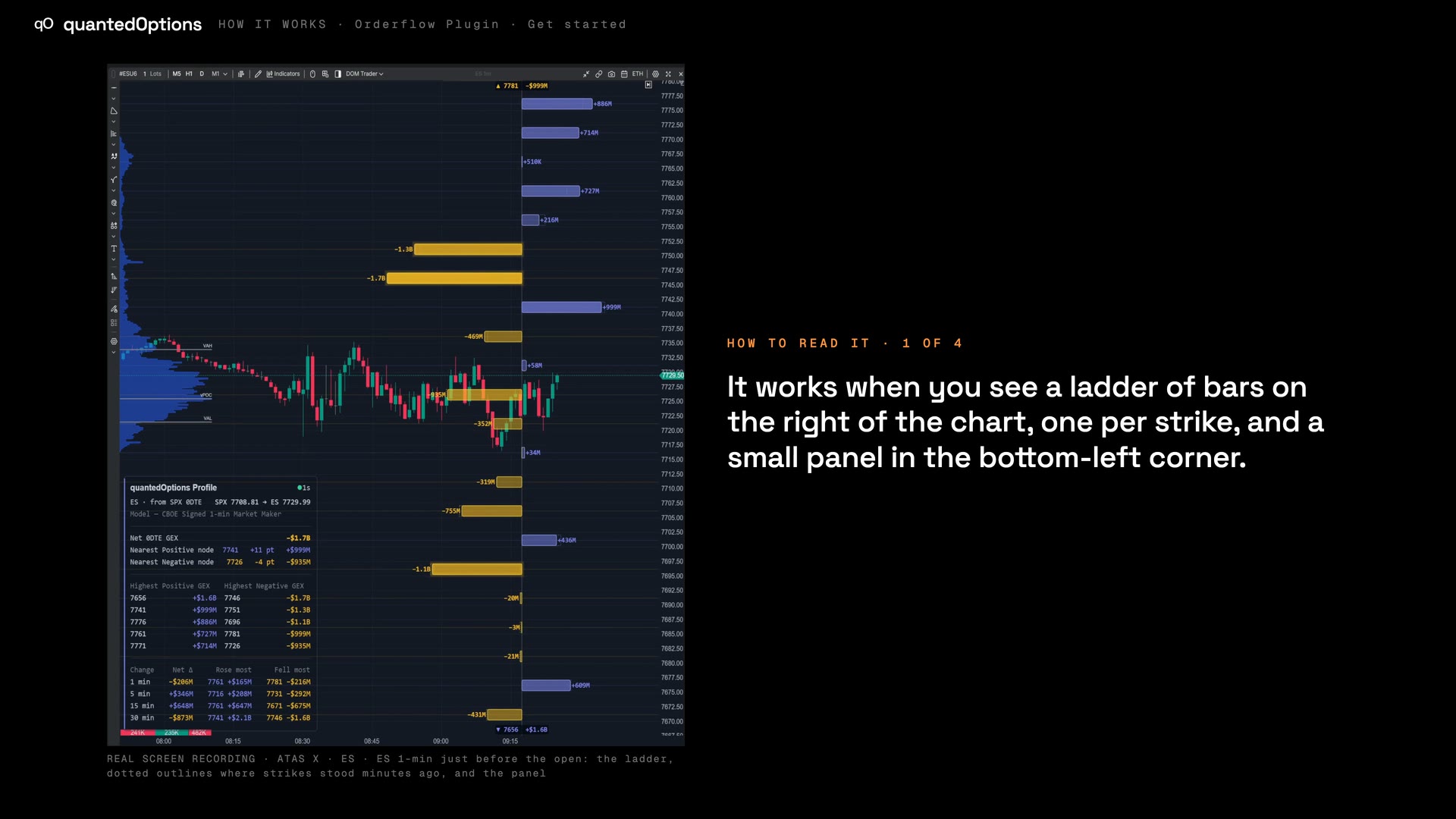
quantedOptions Profile is the Orderflow Plugin's on-chart study. It draws a ladder of exposure bars at the right of your chart, one per strike and placed at the futures price, with the live ATM straddle band and a small data panel in a chart corner. It runs inside Bookmap, MotiveWave, NinjaTrader 8, ATAS X, Quantower and Sierra Chart, and a TradingView overlay is included with every key.
Built from
On ES and MES: licensed CBOE one-minute data with market-maker positioning, from SPX, computed and delivered every minute. On the other families: computed from data consolidated across every US options exchange: open interest and volume.
The Profile
What it draws, and how to read it
What the study draws on your chart, and how to read each part of it.
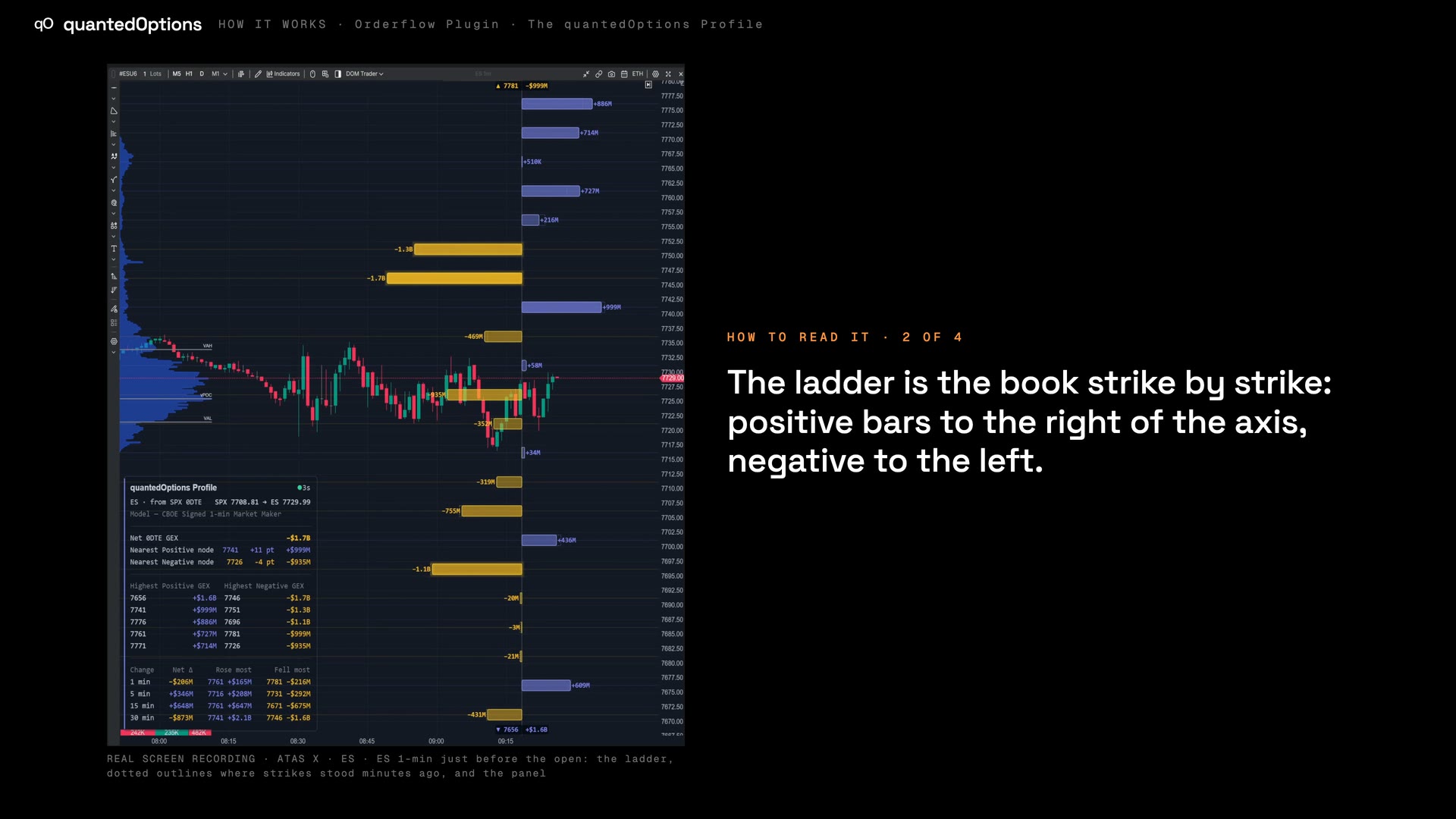 0:55
0:55quantedOptions Profile on your own futures chart
Market-maker gamma levels, drawn on the futures chart you already trade.
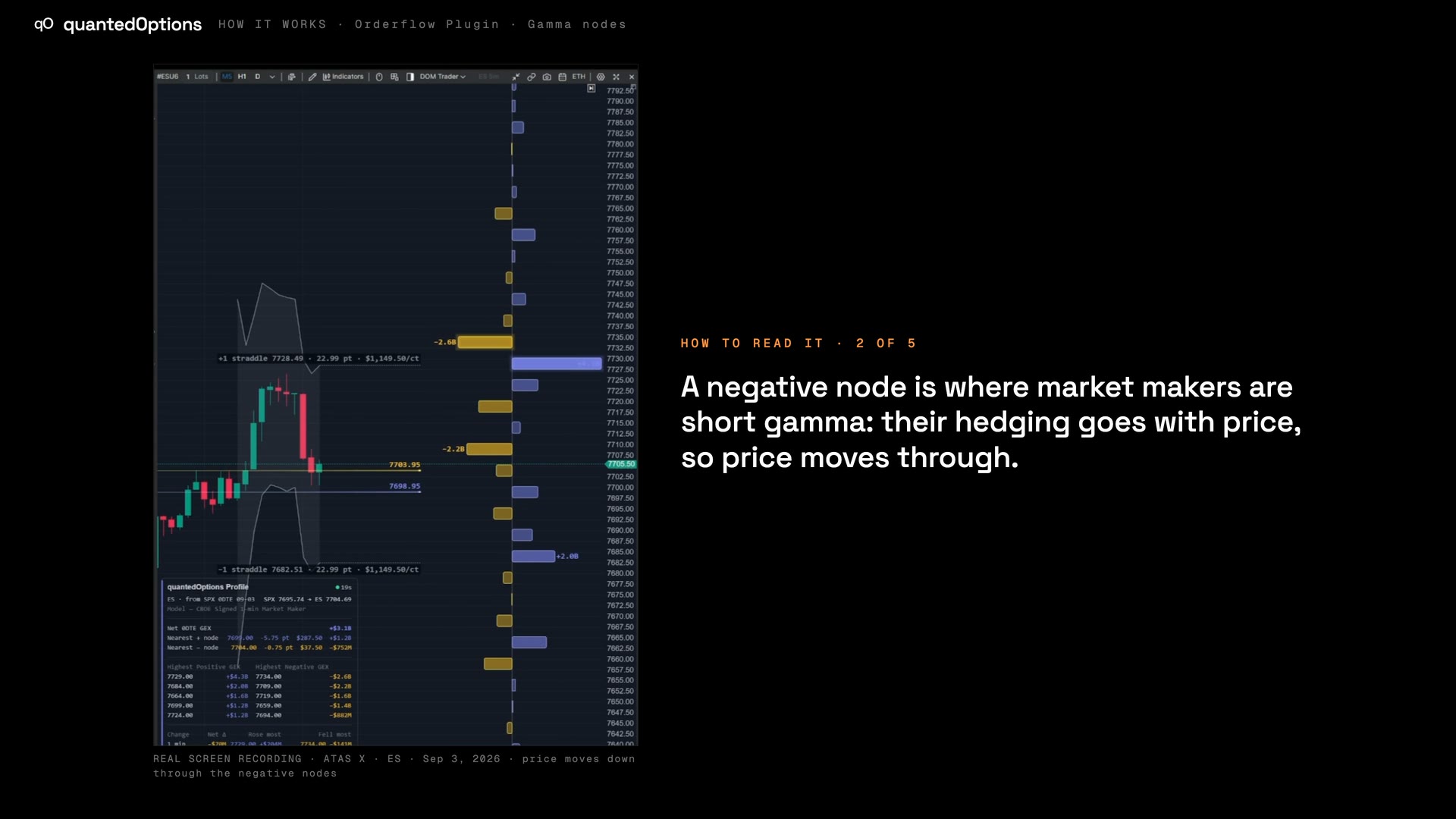 1:00
1:00Gamma nodes at the strikes
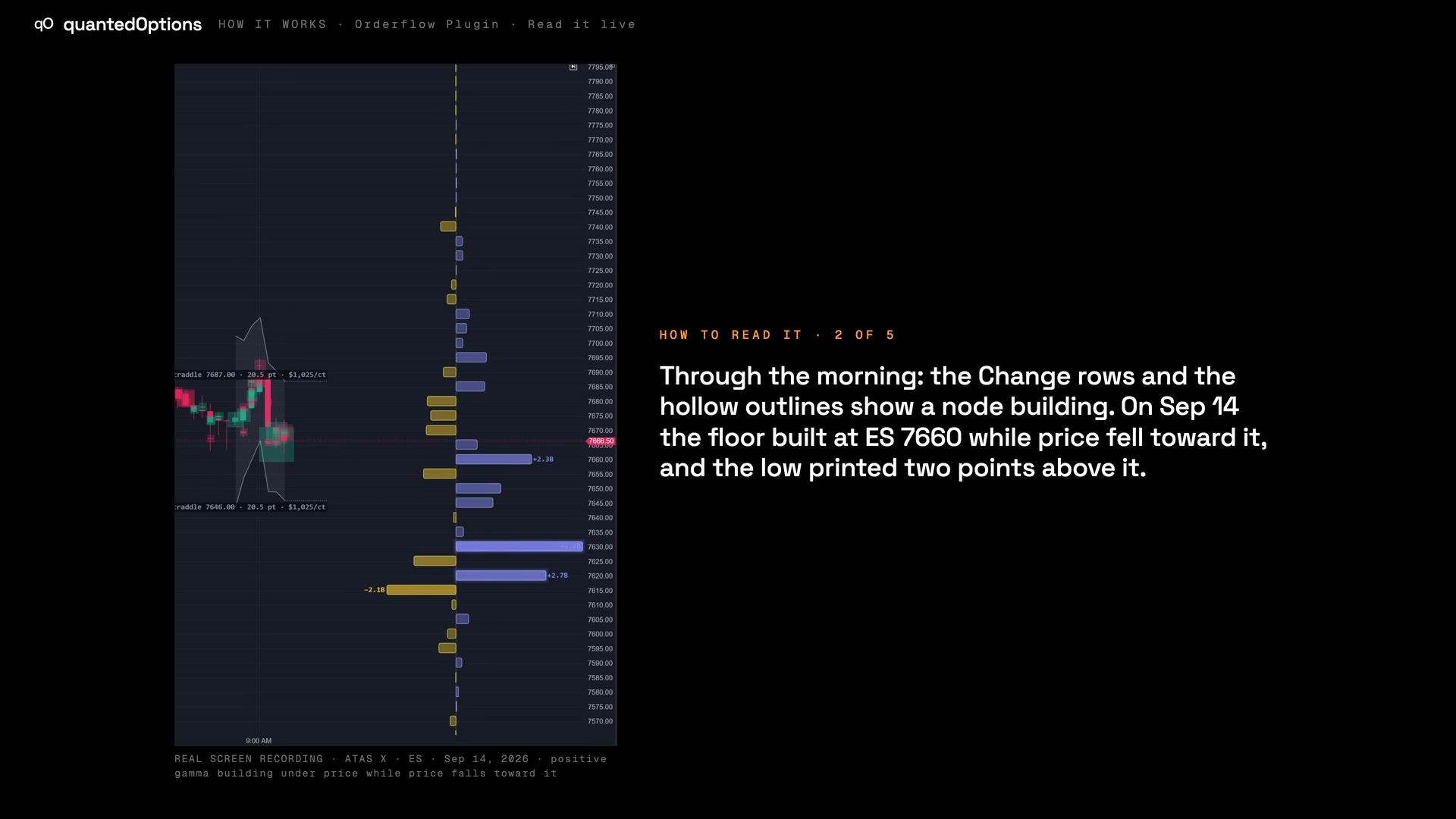
One bar per strike: positive nodes slow price, negative nodes let it through.
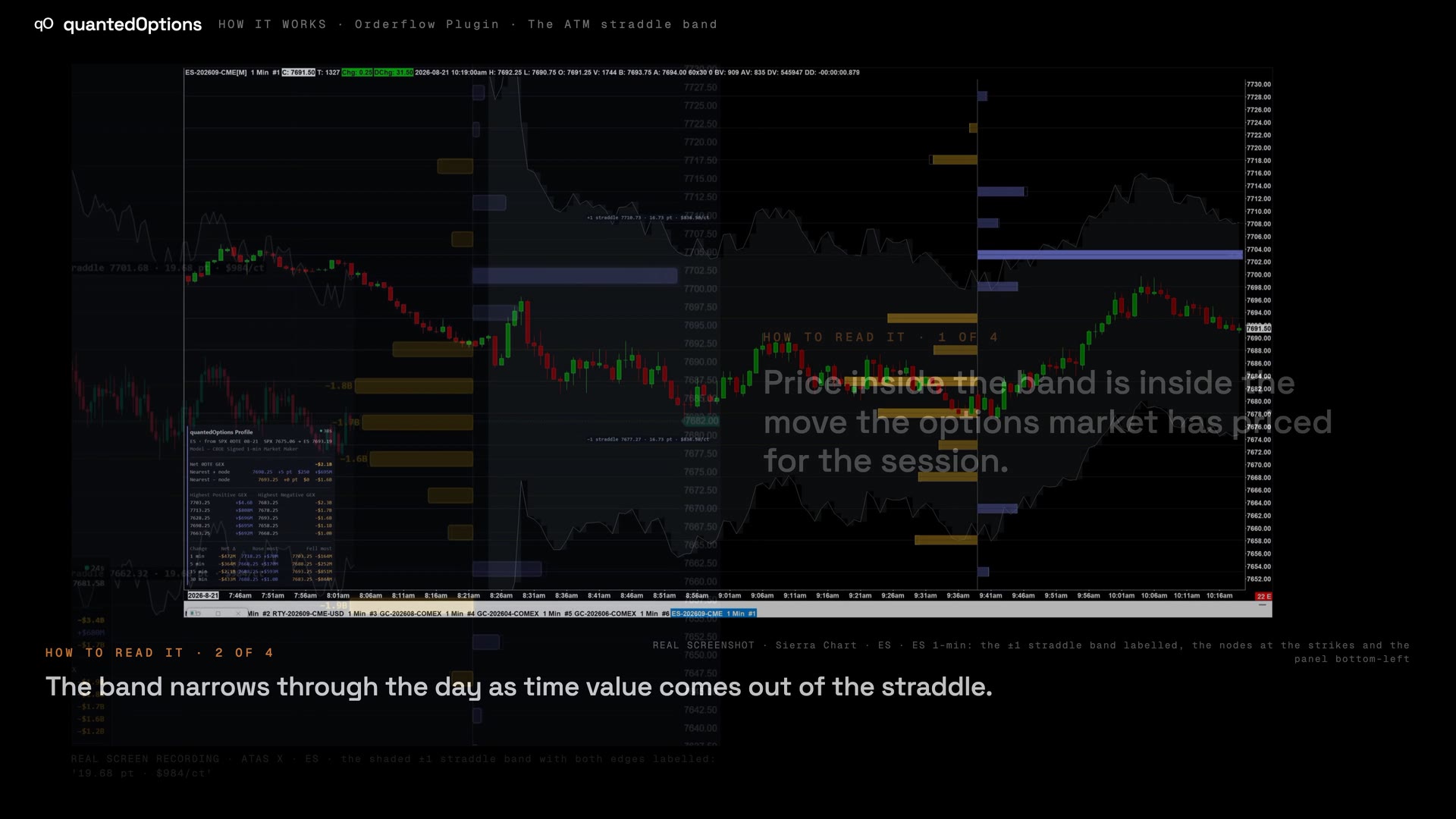 0:50
0:50The live ATM straddle band (±1)
The session's expected move, priced live by the options market, on your chart.
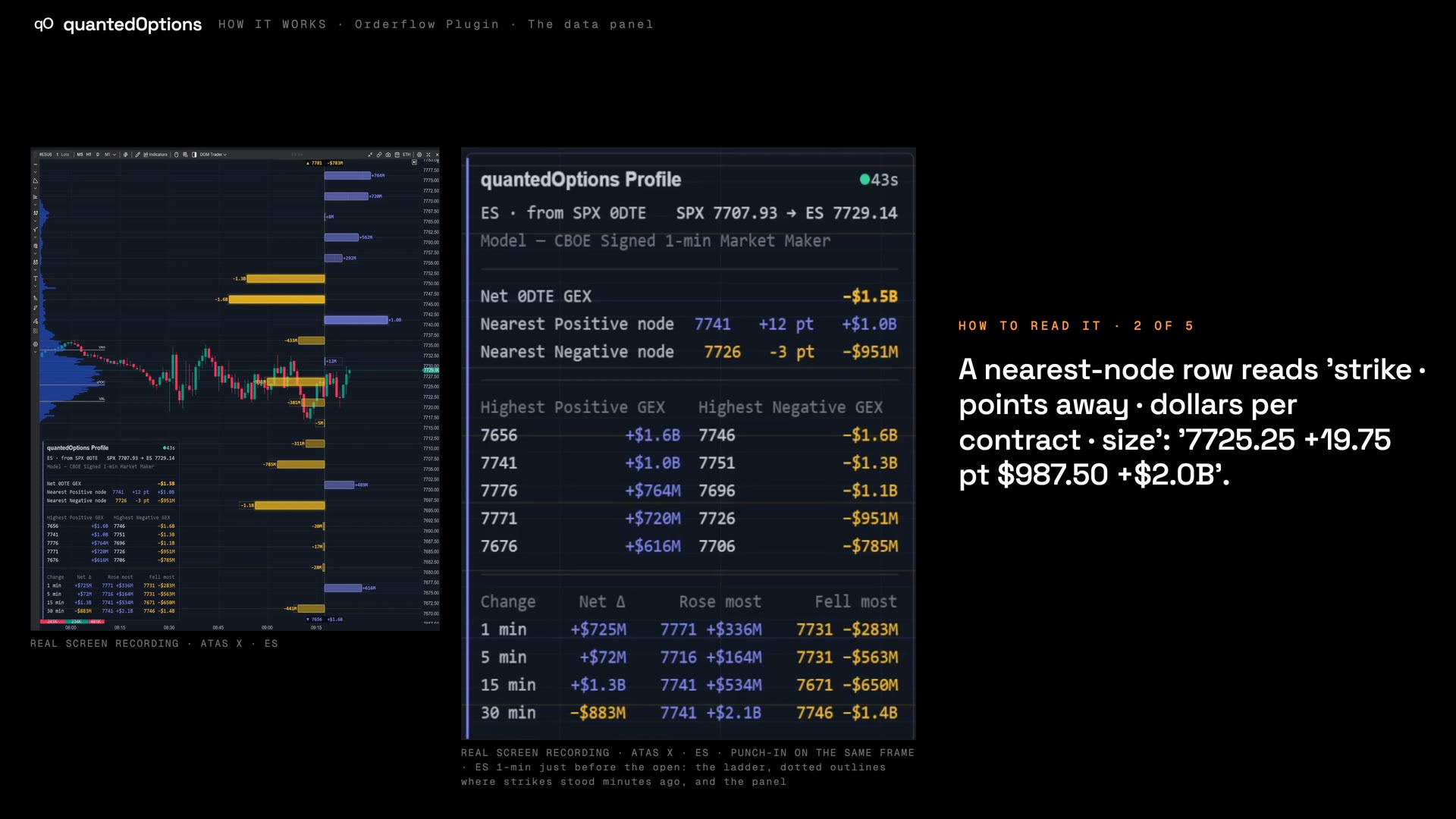 0:55
0:55The data panel
The regime, the nearest nodes, the top strikes and what changed, in one corner.
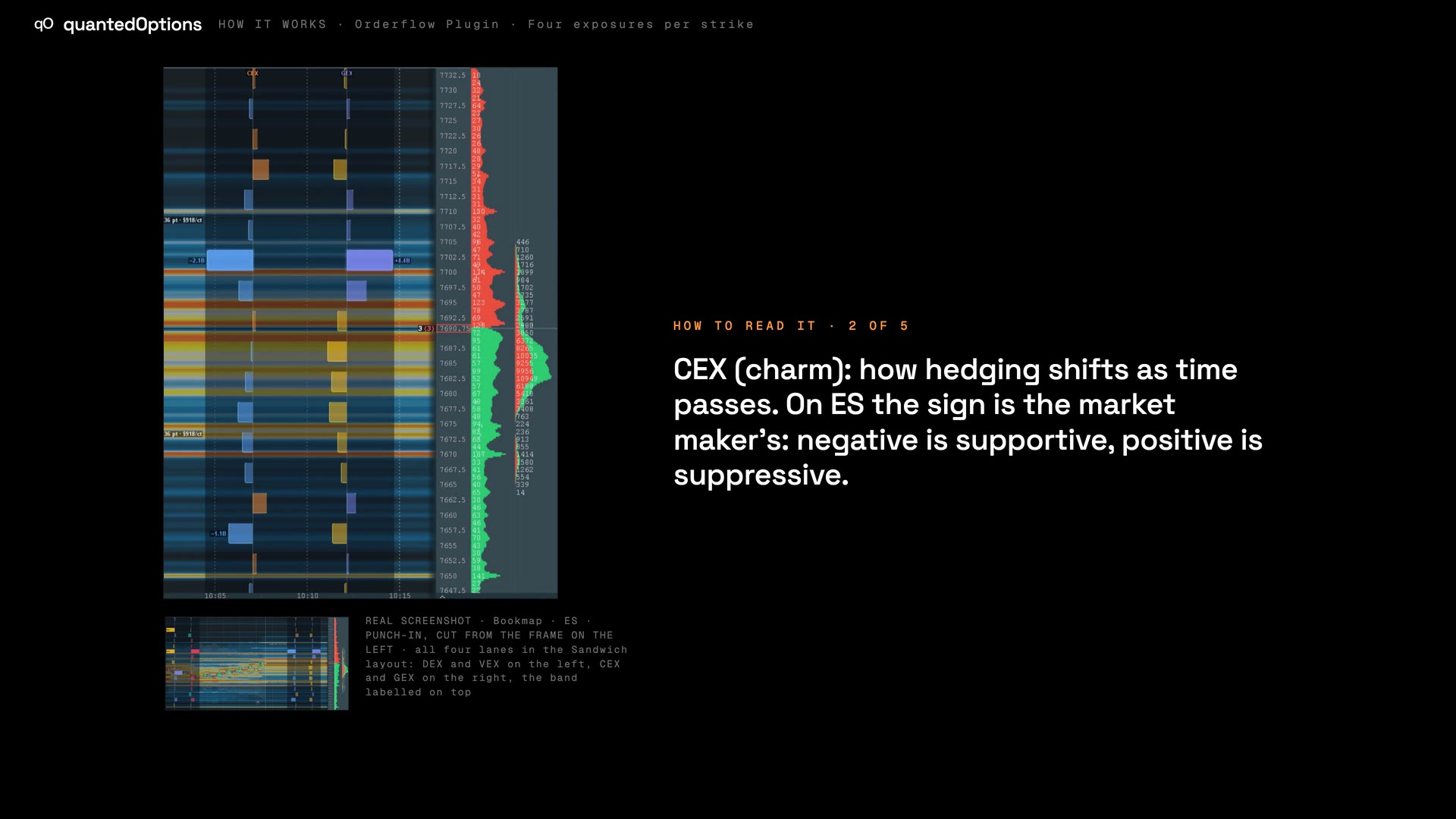 0:55
0:55Four exposures per strike: gamma, charm, vanna, delta
GEX, CEX, VEX and DEX per strike, for 0DTE and for all expiries.
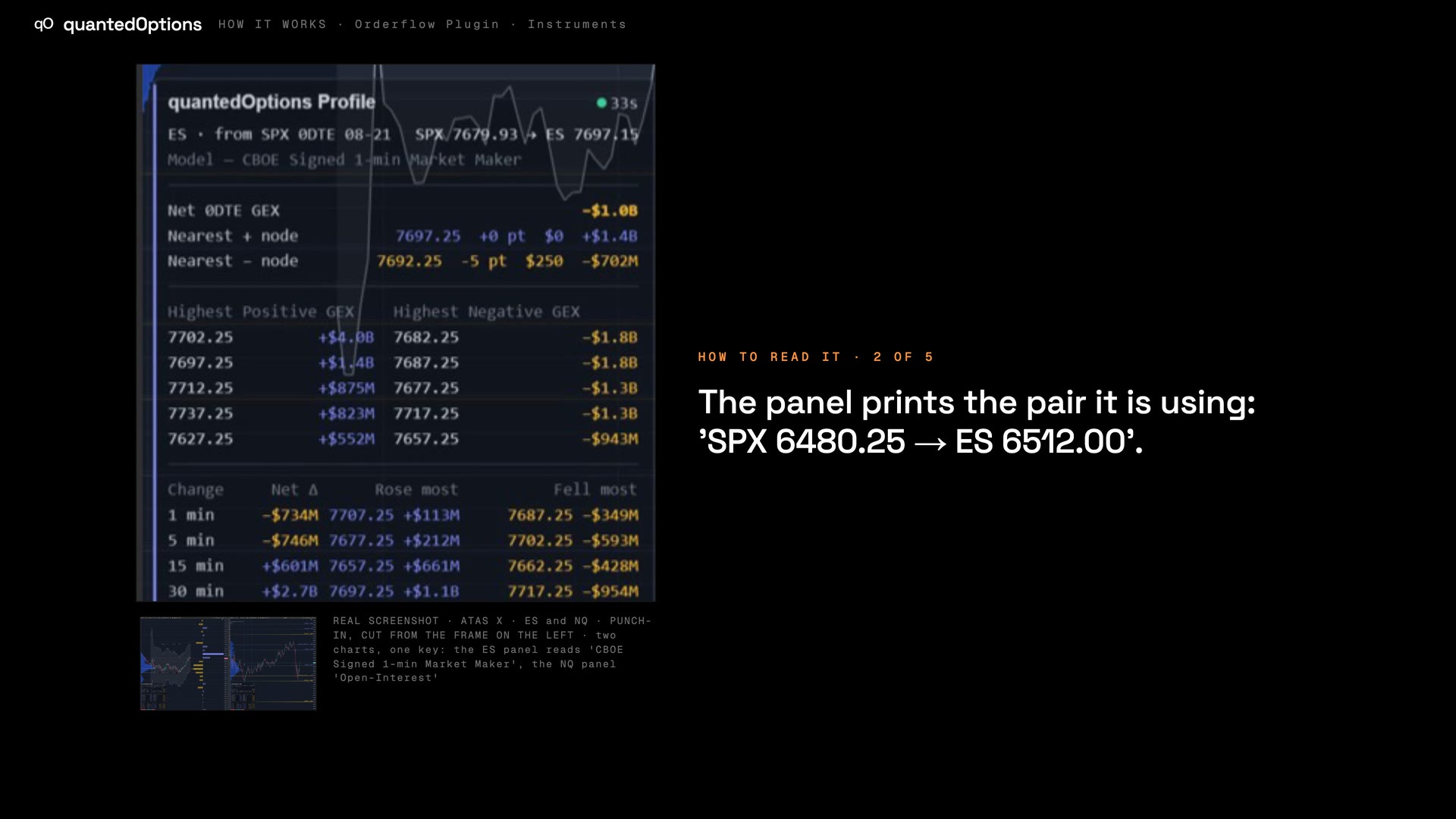 1:00
1:00Instruments: one key, every family
ES from SPX with CBOE signed market-maker data; every other family its own levels.
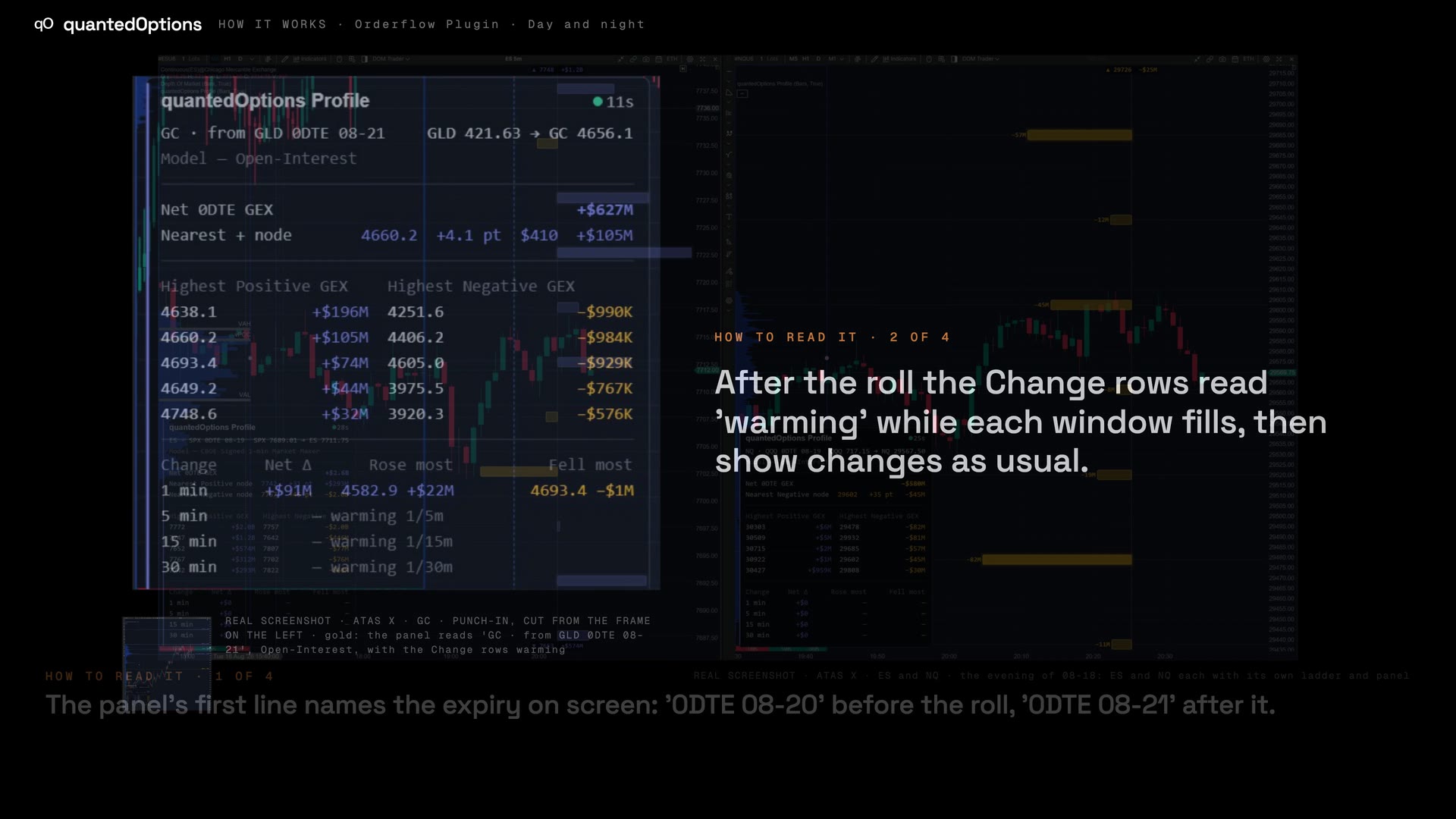 0:50
0:50Day and night: the overnight session and the roll
Live overnight; after the cash close it rolls to the next expiry.
Six platforms
The same Profile, where you trade
The same Profile, the same data and the same key on each — and what each platform adds.
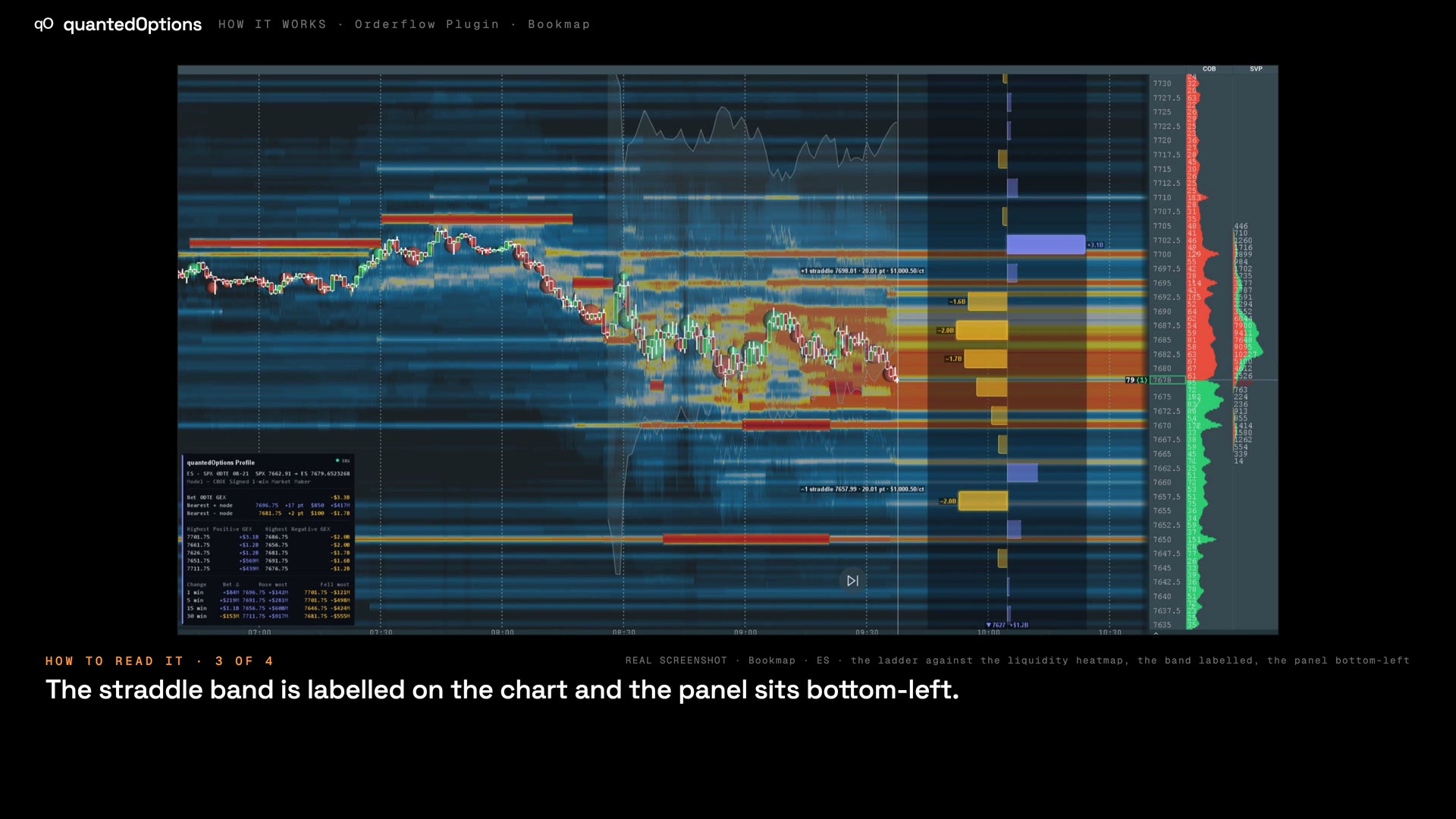

Bookmap
Windows · macOS
Only here · The ladder beside the liquidity heatmap, with an 'over heatmap' mode that keeps the bars readable on top of it.
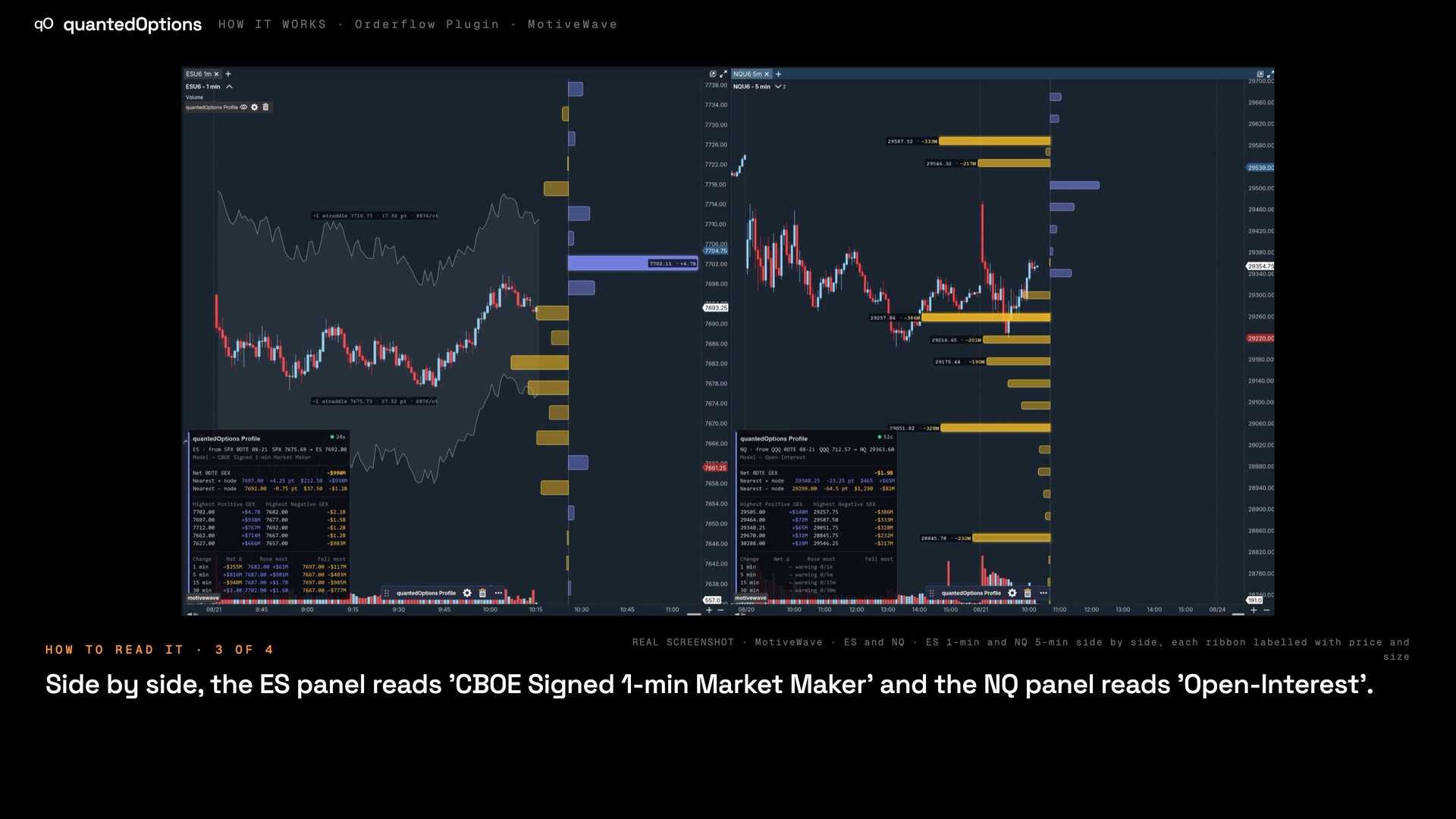

MotiveWave
Windows · macOS · Linux
Only here · Windows, macOS and Linux, on every edition including the free Community edition, with labelled ribbons that print strike and size.
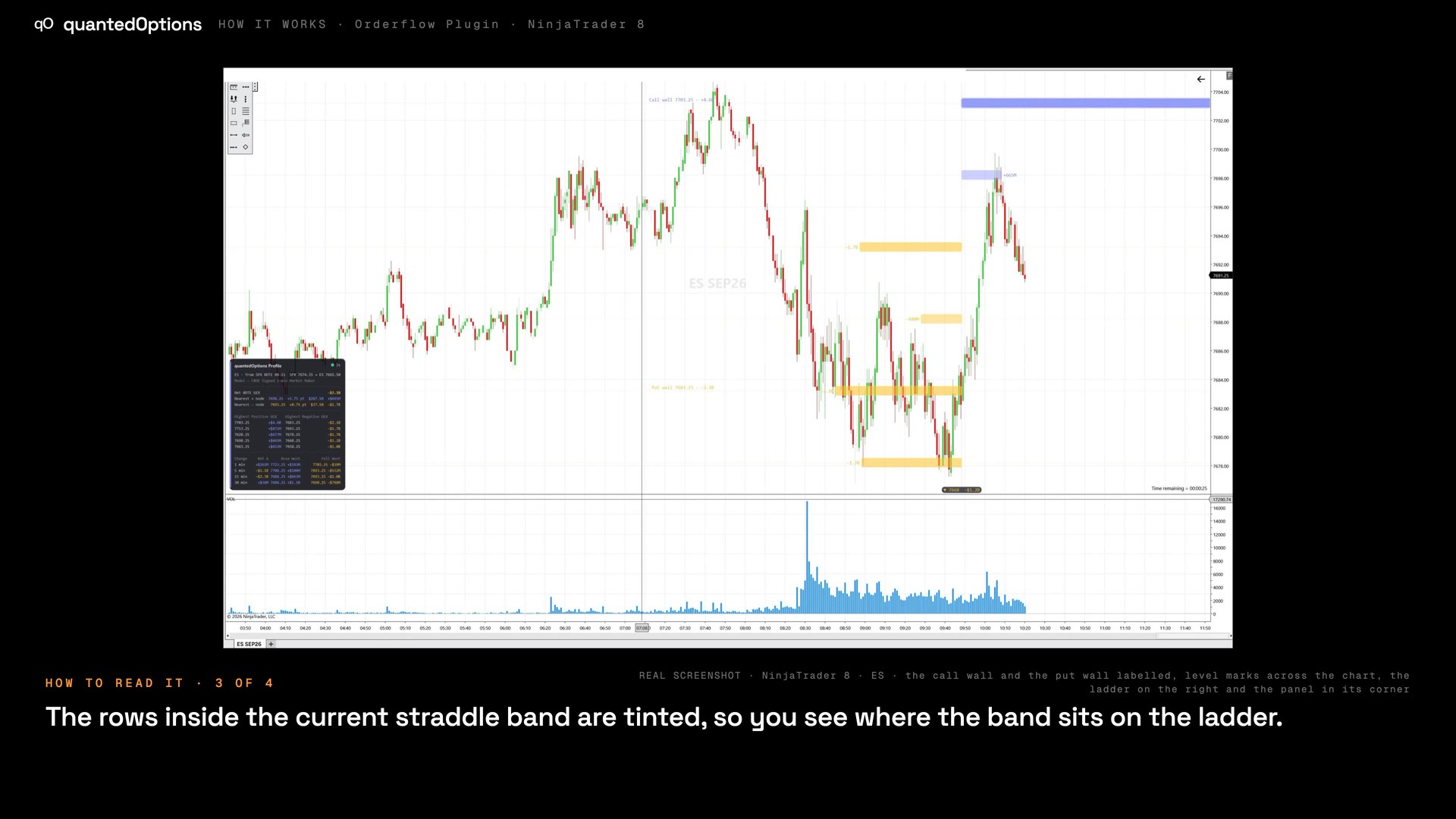

NinjaTrader 8
Windows
Only here · The SuperDOM GEX column: the exposure at each price row, next to the depth you are trading against.
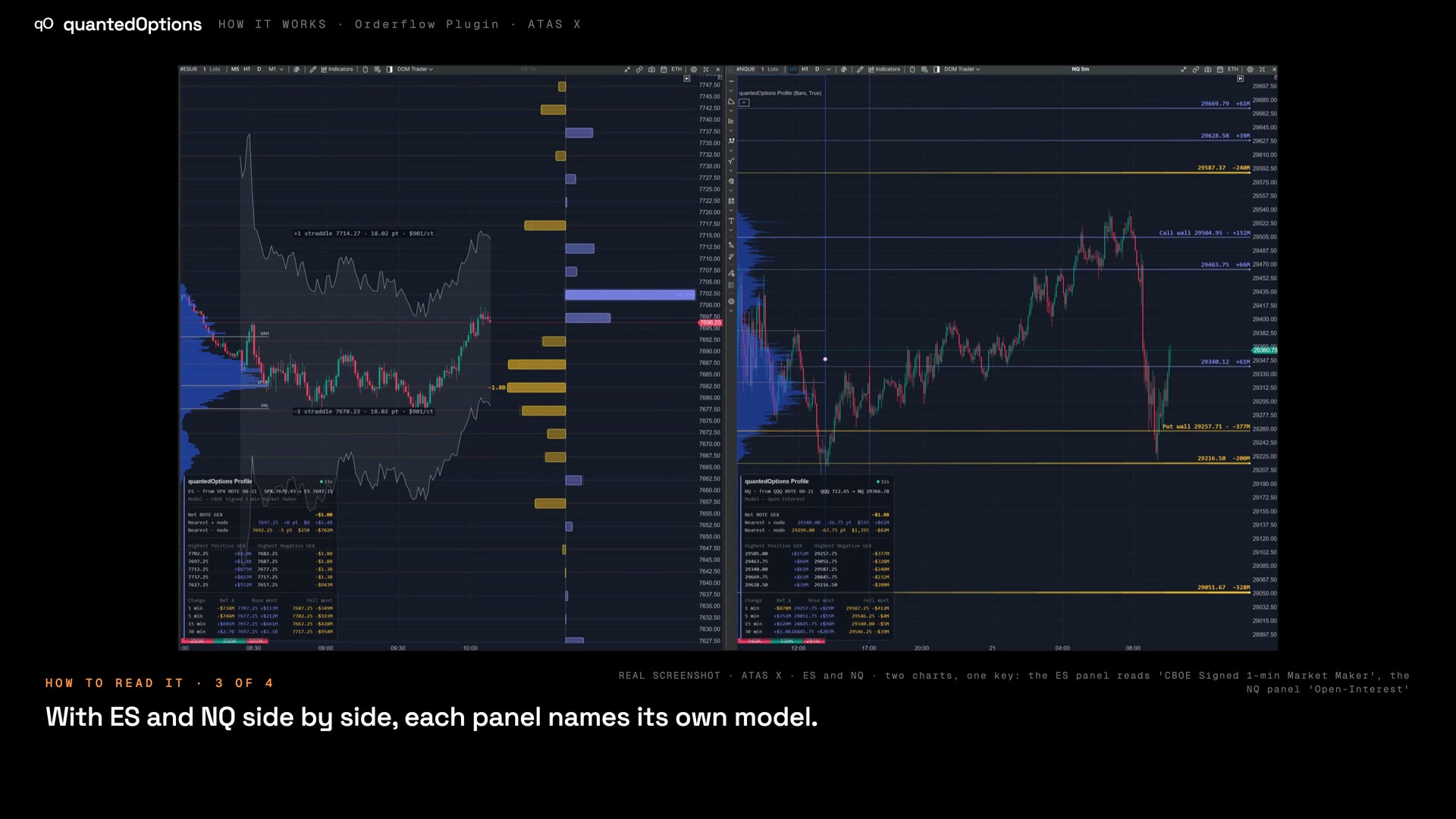

ATAS X
Windows · macOS
Only here · Sits beside ATAS's footprint, cluster and delta tooling on the same chart.
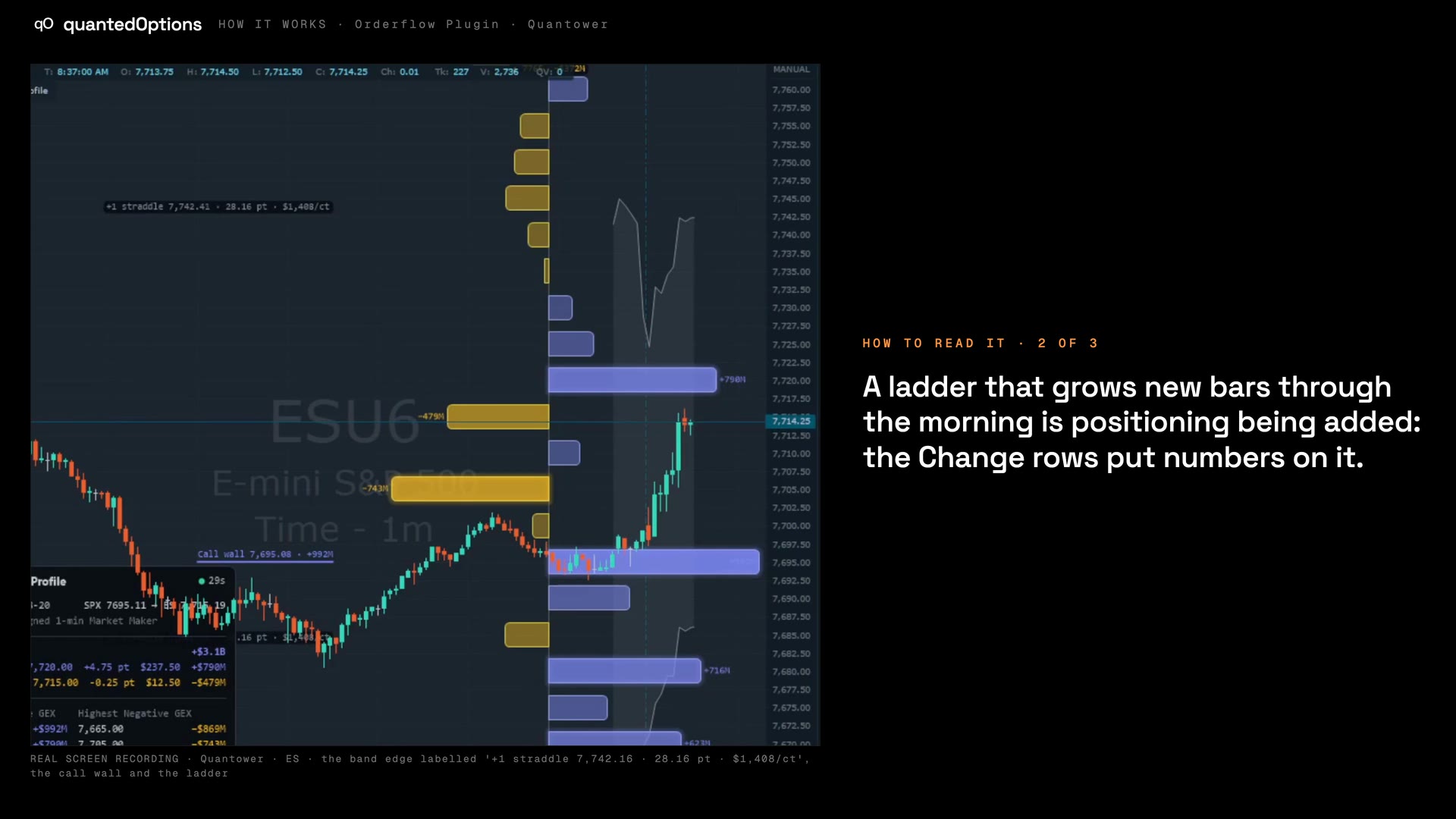

Quantower
Windows
Only here · One build also runs in Optimus Flow and AMP-branded Quantower: same files, same key.
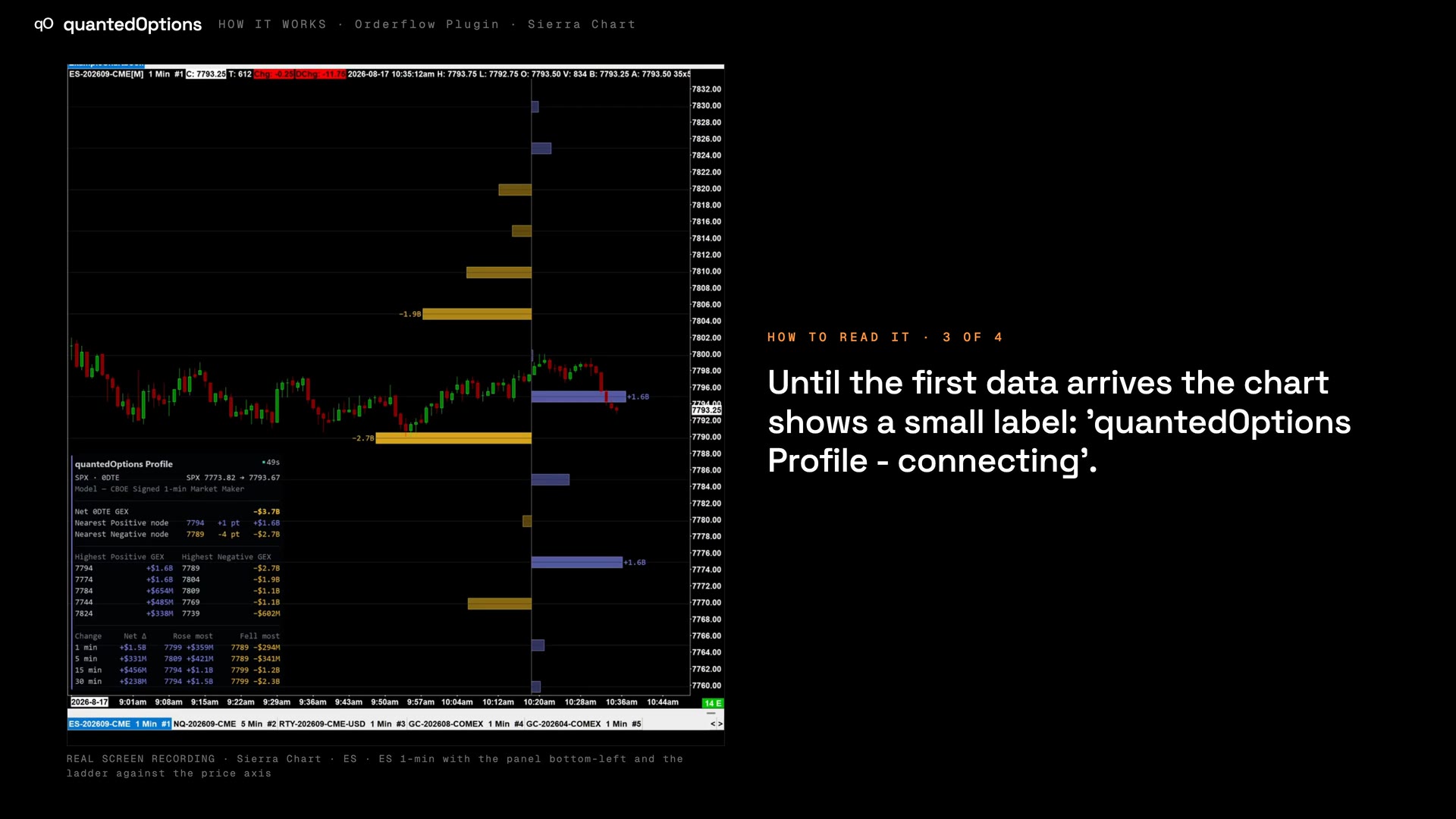

Sierra Chart
Windows
Only here · Subgraph export, so native Sierra alerts, spreadsheets and studies can use the levels; plus an ARM64 build.
TradingView · included with every key
TradingView: quantedOptions Levels
Call and put walls, the gamma flip and the top nodes on TradingView.
How it works on TradingViewGetting started
From a key to a live chart
Pick your platforms, paste your key, and follow the Profile through a real session, start to finish.
These pages describe what the displays show and what the data did on the sessions shown. They are not trading advice, and a past session is not a forecast of a future one.