Four exposures per strike: gamma, charm, vanna, delta
GEX, CEX, VEX and DEX per strike, for 0DTE and for all expiries.
What it shows
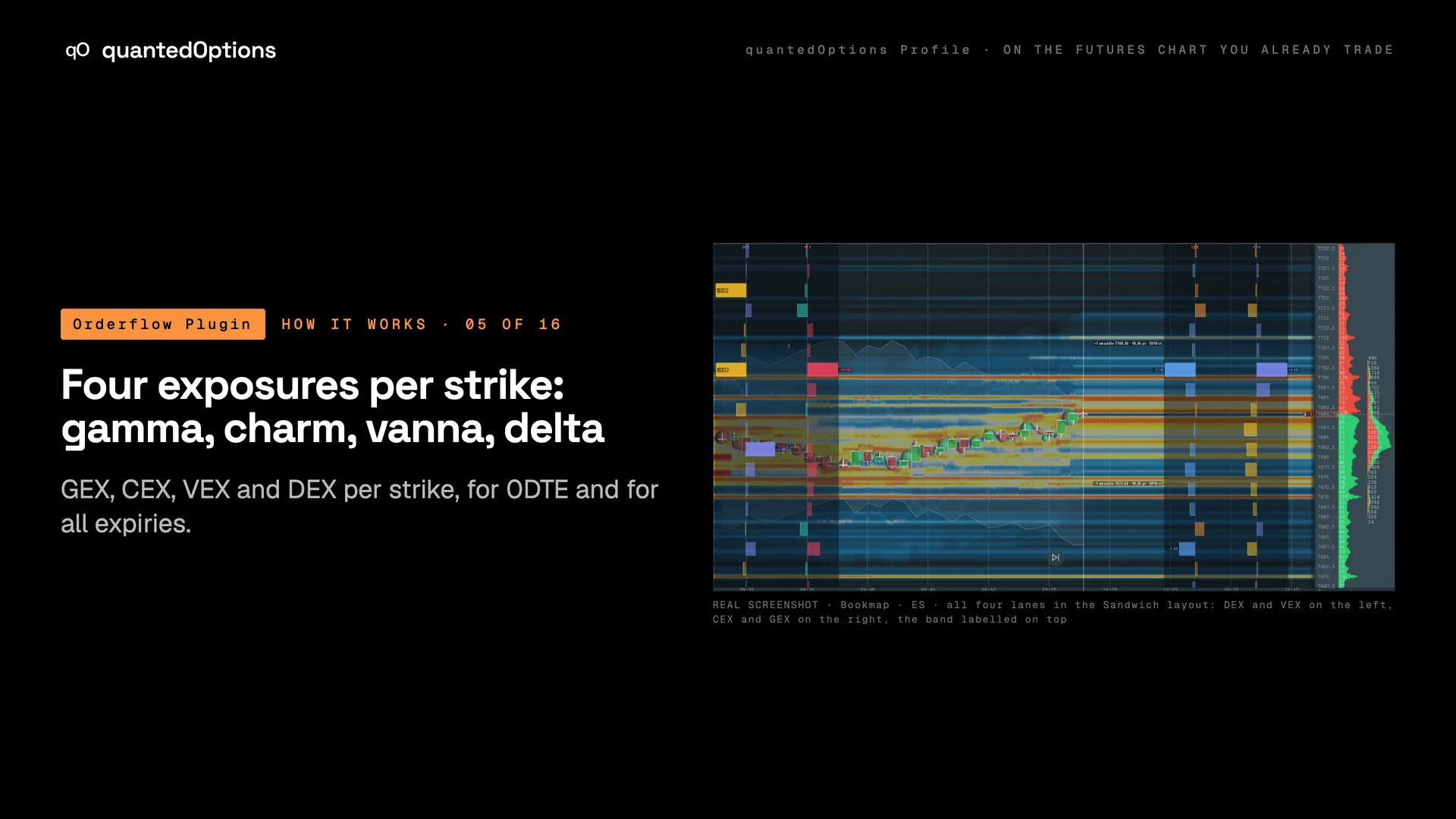
One column of bars per metric, one bar per strike, each on its own scale: GEX (gamma), CEX (charm), VEX (vanna) and DEX (delta). Turn on as many as you want. With three or more lanes the Sandwich layout moves the extra lanes to a gutter on the left with price in the middle, and the straddle band rides on top with its edges labelled. The Book setting switches every lane between today's 0DTE expiry and the full all-expiry chain.
What it is built from
All four exposures per strike, computed and delivered every minute. On ES and MES: licensed CBOE one-minute data with market-maker positioning, from SPX. On the other families: computed from data consolidated across every US options exchange: open interest and volume.
Reading
How to read it
- GEX (gamma): big bars are where hedging is heaviest. A positive node slows or stops price; a negative node lets it through.
- CEX (charm): how hedging shifts as time passes. On ES the sign is the market maker's: negative is supportive, positive is suppressive.
- VEX (vanna): how hedging shifts as implied volatility moves. Positive means market-maker delta rises if implied volatility rises.
- DEX (delta): the delta held at each strike.
- Positive is right of the axis and negative is left, in every column.
Settings
What each setting does
| Setting | Options | What it changes |
|---|---|---|
| Show GEX (gamma) ladder | on / off (default on) | Gamma exposure per strike: the main lane. |
| Show CEX (charm) / VEX (vanna) / DEX (delta) ladder | on / off each (default off) | Adds that lane as its own column of bars. |
| Lane layout (3+ lanes) | All lanes right, Sandwich (default All lanes right) | All lanes right stacks the columns on the right. Sandwich puts two on the right and the rest in a gutter on the left, with price in the middle. |
| Lane headers: distance from the top (px) | px | Moves the GEX / CEX / VEX / DEX titles down so chart text stays clear of them. |
| Book | Today's / nearest expiry, All expiries (default Today's / nearest expiry) | Today's 0DTE expiry, or the nearest listed expiry when there is none today (the panel says which); All expiries puts every listed expiry in one profile. |
Read it with
- SPX Surface - Charm — the dashboard's charm read across price and time
- SPX Surface - Vanna — a heat map of how market-maker delta changes when implied volatility moves
- Cumulative Net Delta — the market maker's total dollar delta through the session, by expiry cohort
- Gamma nodes at the strikes — the GEX lane on its own
Good to know
- Charm is the easiest sign to read backwards: negative is supportive.
- With all four lanes off the panel and the heatmap bands stay, for a clean chart with the levels still on it.
On a real chart
See it happen
13:37 ET
FOMC day: charm at spot supportive, the 0DTE book positive while all-expiry gamma was negative the whole session. Switch Book between 'Today's / nearest expiry' and 'All expiries' to see both. SPX 7500, the largest positive strike below, sits on the ES chart at 7571.25 at 11:00.
11 slides
The walk-through, slide by slide
Slide 1 / 11
These pages describe what the displays show and what the data did on the sessions shown. They are not trading advice, and a past session is not a forecast of a future one.