NinjaTrader 8
The chart indicator plus a GEX column on your SuperDOM, on one key.

What it shows
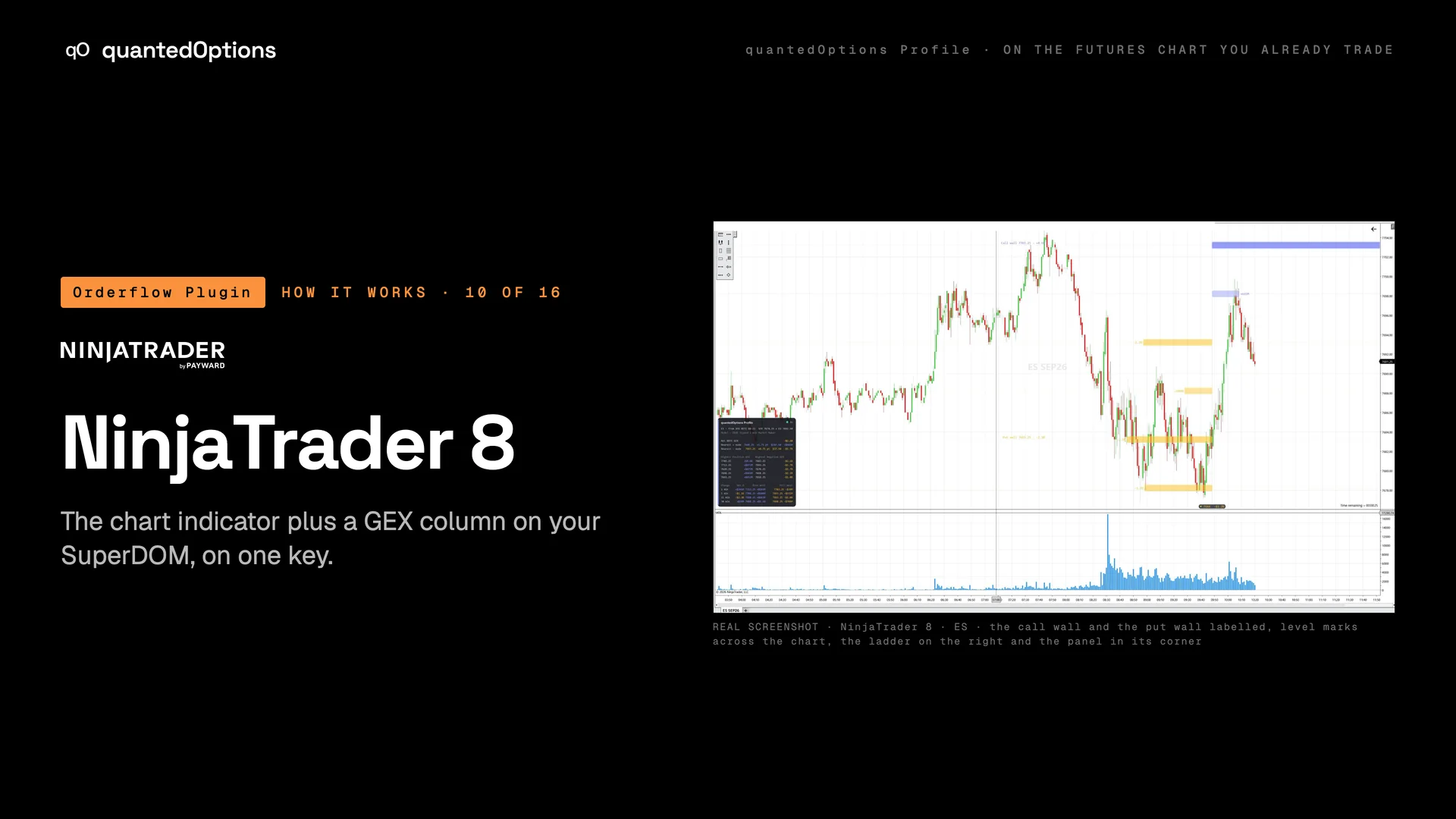
The chart indicator draws the ladder, the level marks across the chart with the call wall and the put wall labelled, and the panel. The optional qO GEX column puts the same data on the SuperDOM, NinjaTrader's price ladder: one value per price row, so you read the exposure at a price right next to the depth you are trading against.
What it is built from
The same data, the same settings and the same key as every other platform. On ES and MES: licensed CBOE one-minute data with market-maker positioning, from SPX. On the other families: computed from data consolidated across every US options exchange: open interest and volume.
On this platform
Only on NinjaTrader 8
The SuperDOM GEX column: the exposure at each price row, next to the depth you are trading against.
- Runs on
- NinjaTrader 8, on any data connection that carries the futures you trade
- OS
- Windows
Three steps
- 01Download the NinjaTrader add-on (one .zip) from your Orderflow Plugin page and keep it zipped.
- 02In the Control Center choose Tools › Import › NinjaScript Add-On and pick the file.
- 03Right-click a chart › Indicators › quantedOptions Profile, paste your key in the connection settings and leave Source and Conversion on AUTO.
Reading
How to read it
- On the SuperDOM, a large positive value beside a price row is a node at that price: where price slows or stops.
- A negative value beside a row is a level price can move through.
- The rows inside the current straddle band are tinted, so you see where the band sits on the ladder.
- The column and the chart indicator read the same book, so the DOM and the chart always agree.
Settings
What each setting does
| Setting | Options | What it changes |
|---|---|---|
| qO GEX column: Metric | GEX (default), CEX, VEX, DEX | Which exposure the SuperDOM column shows. |
| qO GEX column: colour theme / print the values | theme; on / off | How the column looks, and whether each row prints its number. |
| Data panel corner | Bottom-left, Top-left, Bottom-right, Top-right (NinjaTrader default Top-left) | Which chart corner the panel sits in. |
| Draw behind the price bars | on / off (NinjaTrader default off) | Ladder and panel over the candles, or under them. |
Read it with
- Gamma nodes at the strikes — one bar per strike: positive nodes slow price, negative nodes let it through
- The live ATM straddle band (±1) — the session's expected move, priced live by the options market, on your chart
- Four exposures per strike: gamma, charm, vanna, delta — gEX, CEX, VEX and DEX per strike, for 0DTE and for all expiries
Good to know
- Add the column with a right-click on the SuperDOM › Columns › qO GEX; its connection comes pre-filled from the indicator.
- Indicator and column share one connection per instrument, on the same key.
On a real chart
See it happen
NinjaTrader 8 · ES: the call wall and the put wall labelled, level marks across the chart, and the panel in its corner. On the SuperDOM, point at the qO GEX value beside the price row of the nearest positive node.
11 slides
The walk-through, slide by slide
Slide 1 / 11
These pages describe what the displays show and what the data did on the sessions shown. They are not trading advice, and a past session is not a forecast of a future one.