Strike Profile
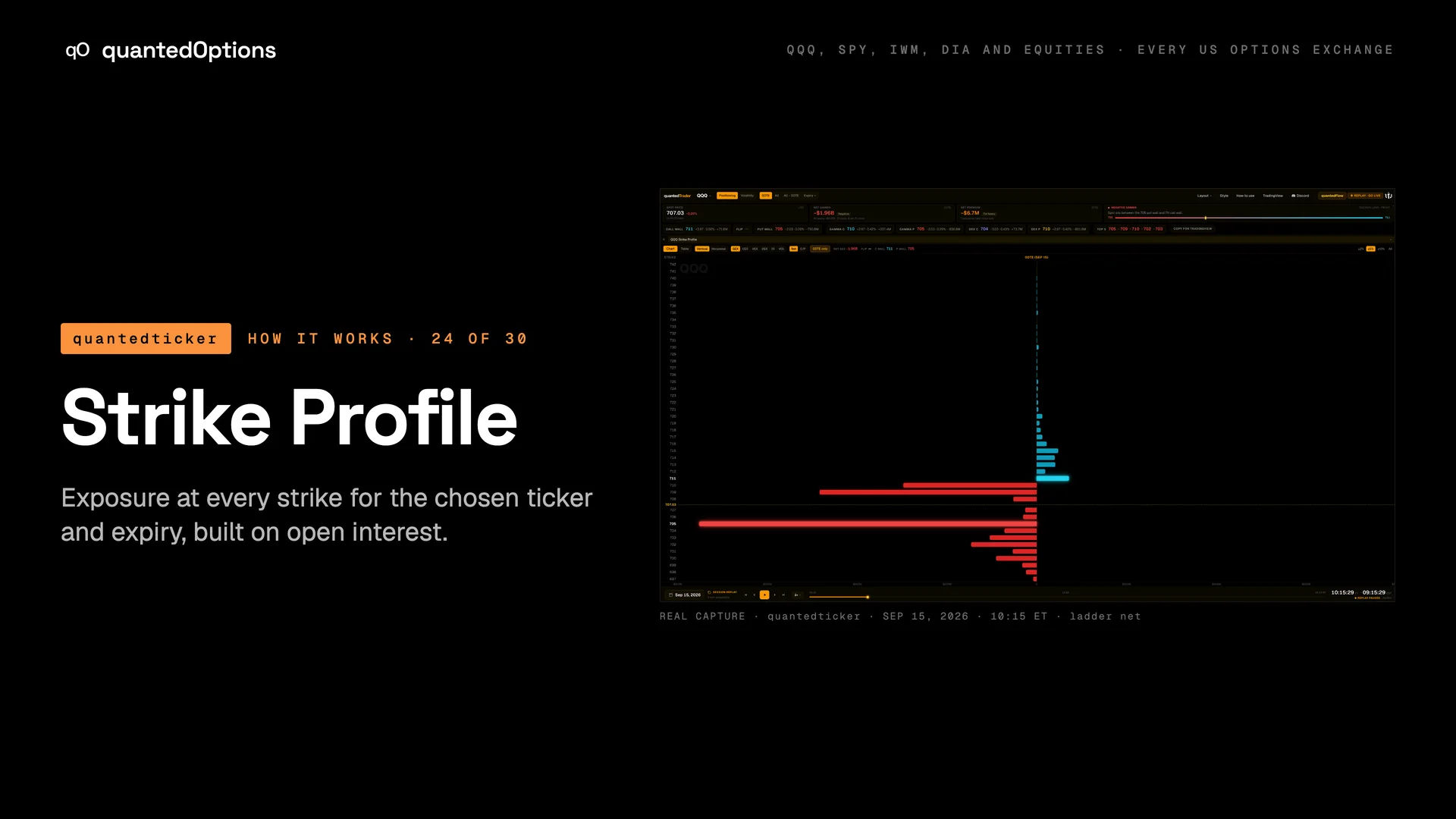
Exposure at every strike for the chosen ticker and expiry, built on open interest.
What it shows
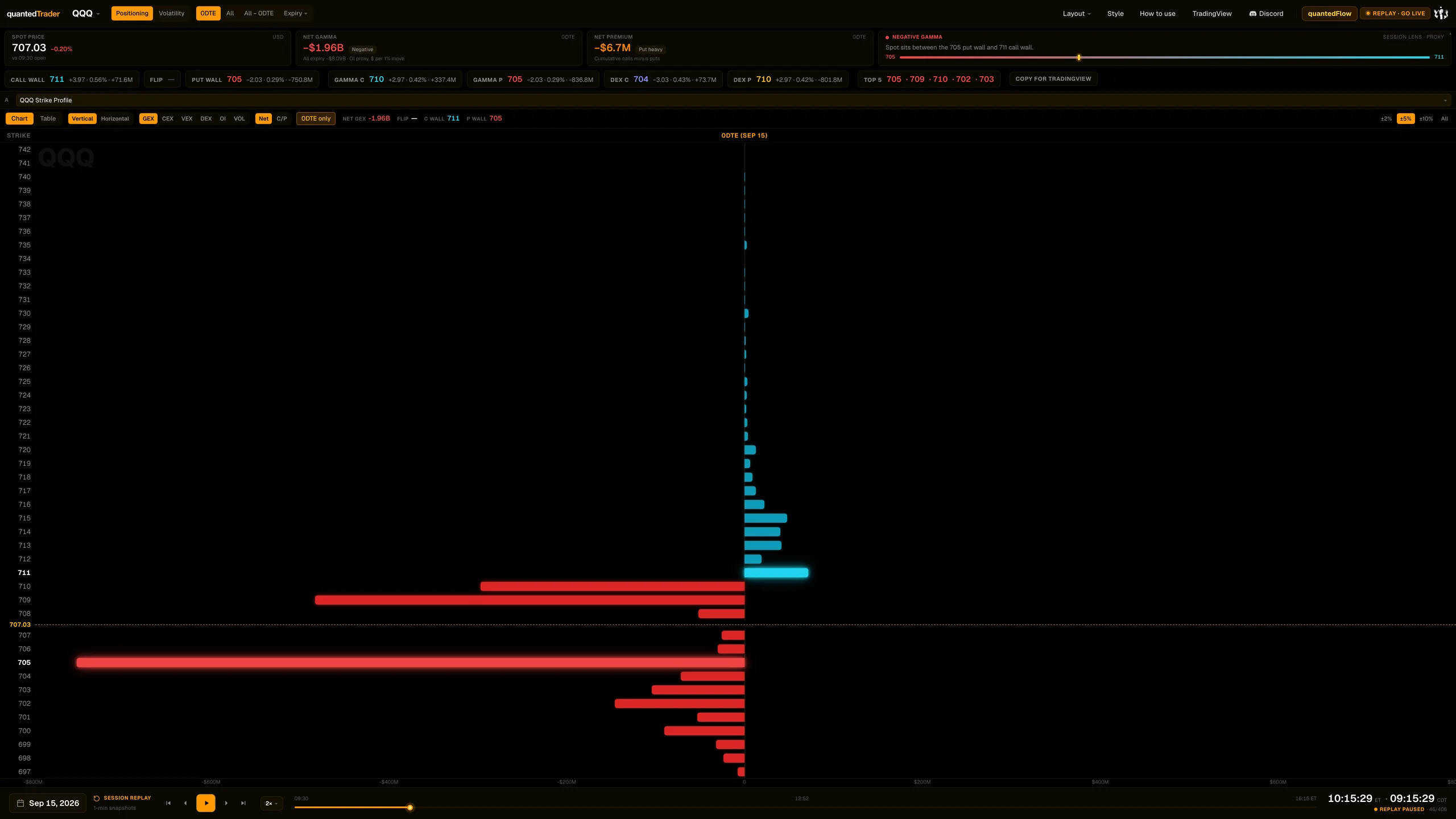
A bar per strike for GEX, CEX, VEX, DEX, OI or VOL, horizontal by default, with headline figures NET, FLIP, C WALL and P WALL. With '0DTE only' off, the next three expiries appear as heat columns. Hovering a strike lists Net GEX, Call / Put GEX, Net DEX, and OI, volume and premium for calls and puts.
What it is built from
Exposure at every strike, with calls counted as positive and puts as negative. Computed from data consolidated across every US options exchange: open interest and volume.
Reading
How to read it
- The longest positive bar is the C WALL; the longest negative bar is the P WALL.
- FLIP is where net gamma, added up strike by strike, crosses zero.
- Net | C/P pulls each bar into its call and put legs; the two legs always add back to the net bar.
- An 'OI updating' tag means today's open interest is still arriving.
Controls
What each control does
| Control | Options | What it changes |
|---|---|---|
| Chart | Table | Chart, Table | Bars or a numeric table. |
| Vertical | Horizontal | default Horizontal | Orientation for every Strike Profile on the page. |
| Metric | GEX, CEX, VEX, DEX, OI, VOL | Which quantity is drawn. |
| Net | C/P | Net, C/P | Splits bars into call and put legs; the headline shows C/P instead of NET. |
| 0DTE only | on / off | Off adds the next expiries as heat columns beside the ladder. |
| Range | +/-2%, +/-5%, +/-10%, All | Strike window around spot. |
Read it with
- Session strip (Spot price, Net gamma, Net premium, Session lens, levels row)
- Strike Gamma - Session — the top strikes through time
Good to know
- A long positive bar marks heavy call open interest near that strike; a long negative bar, heavy put open interest.
- Open interest refreshes overnight and 'holds still through the session' (the product's own tooltip); intraday the bars move with price, time and implied volatility.
- Flip and wall marks are drawn on the GEX metric.
A real session
See it happen
10:15 ET
QQQ 2026-09-15: negative gamma from the open; negative bars dominate and NET reads negative.
15 slides
The walk-through, slide by slide
Slide 1 / 15
From the product
Real frames
Shot off the live product, nothing redrawn. Click the right side of a frame for the next one, the left side to go back.
Product frame 1 / 18
These pages describe what the displays show and what the data did on the sessions shown. They are not trading advice, and a past session is not a forecast of a future one.