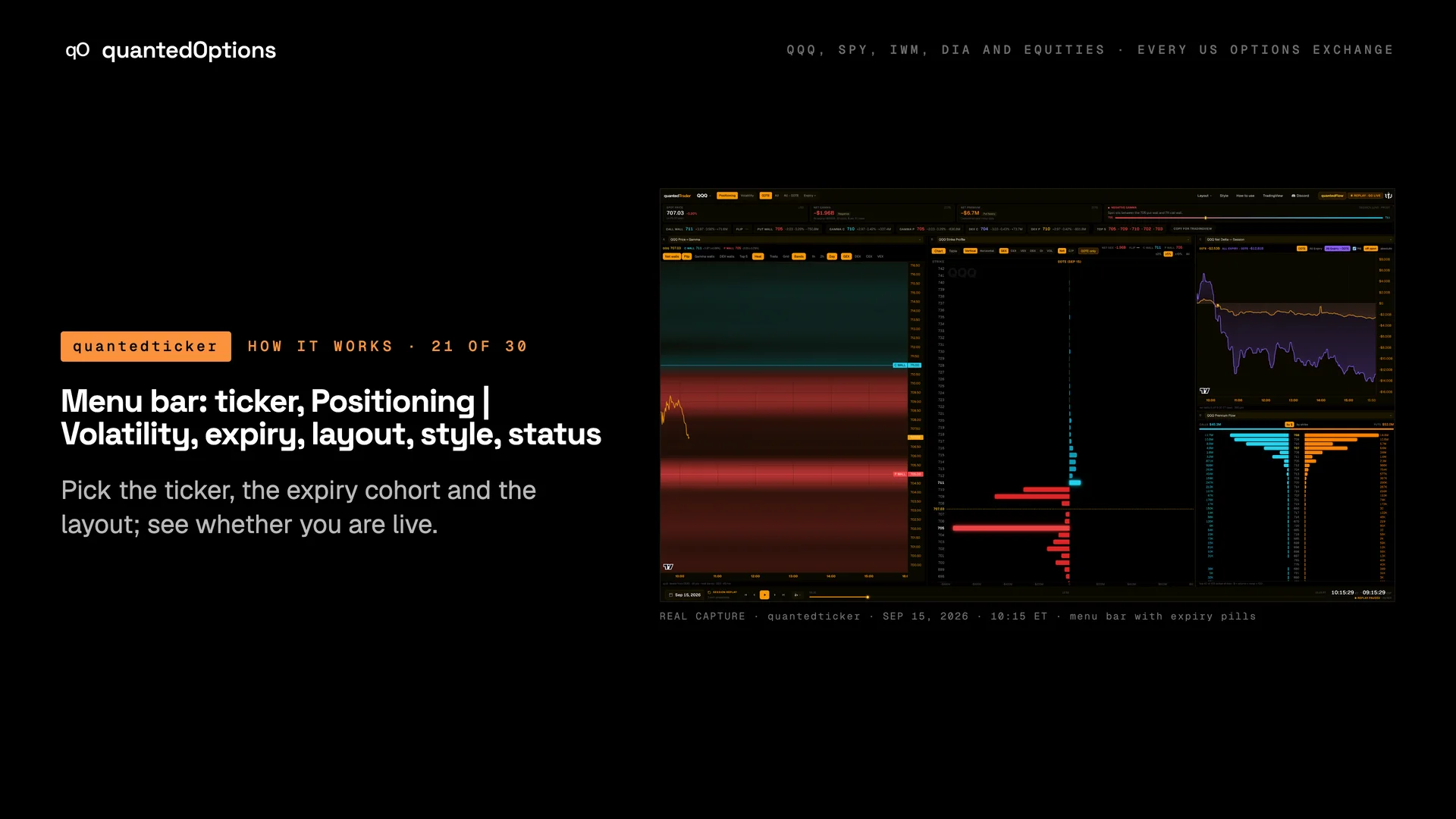
Menu bar: ticker, Positioning | Volatility, expiry, layout, style, status
Pick the ticker, the expiry cohort and the layout; see whether you are live.
What it shows
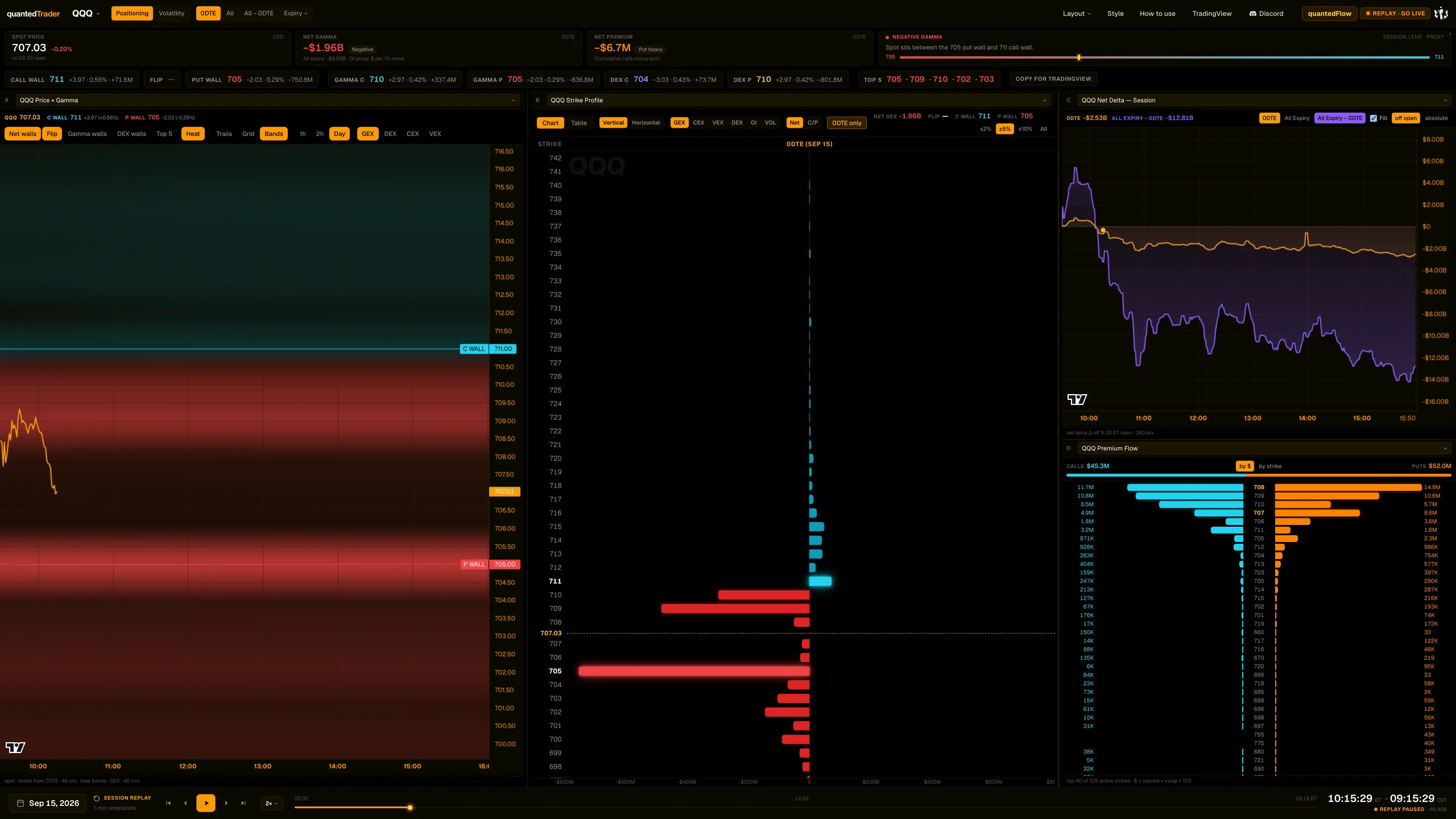
The brand reads 'quantedTrader'. A ticker search (Cmd/Ctrl+K, favourites), a Positioning | Volatility mode switch, expiry pills, a 'Panes' layout menu with a Compare view for SPY / QQQ / IWM / DIA, a Style menu, How to use, TradingView, Discord and quantedFlow links, and a status pill.
What it is built from
Everything on the page is computed from data consolidated across every US options exchange: open interest and volume. The menu bar picks the ticker and expiries those numbers cover, and the status pill says whether you are on the newest data.
Reading
How to read it
- Expiry pills: the front pill reads '0DTE' when the nearest expiry is today; otherwise it reads 'N DTE' and means the nearest listed expiry.
- 'All' = every listed expiry combined; 'All - 0DTE' = every expiry except the front one; 'Expiry' picks one specific expiry.
- The expiry choice drives the Session strip, Strike Profile, Premium Flow, Strike Gamma and Unusual Volume. Net Delta has its own cohort toggles.
- Compare shows SPY, QQQ, IWM and DIA side by side, always on the front expiry.
Controls
What each control does
| Control | Options | What it changes |
|---|---|---|
| Ticker picker | search, favourites, Cmd/Ctrl+K | Switches ticker and returns the page to live on the front expiry. |
| Mode | Positioning, Volatility | Positioning shows the widget panes; Volatility shows the IV workspace. |
| Expiry pills | 0DTE (or N DTE), All, All - 0DTE, Expiry > specific date | Which expiries the numbers include. |
| Panes | Single, Side by side, Triple, 1:1:2, 1:1:1/2 (default), 2x2; Compare (Chart | Table) | Pane arrangement. Click a pane title to swap its widget. |
| Style | dashboard theme; colour pairs for Gamma (GEX), Delta (DEX), Charm (CEX), Vanna (VEX); Premium flow (call / put) | How the page looks; saved in your browser. |
| Status pill | live / closed / replay - go live | Click in replay to return to live. |
Read it with
Good to know
- Default panes: Price x Gamma, Strike Profile, Net Delta - Session, Premium Flow. Click a pane title to swap its widget.
- Phones show one full-screen widget with bottom tabs (Ladder, Flow, Delta, Strikes, Price, Unusual, Vol).
A real session
See it happen
10:15 ET
QQQ 2026-09-15: front pill reads 0DTE; 0DTE net gamma -$5.30B vs all expiry -$12.21B.
12 slides
The walk-through, slide by slide
Slide 1 / 12
From the product
Real frames
Shot off the live product, nothing redrawn. Click the right side of a frame for the next one, the left side to go back.
Product frame 1 / 16
These pages describe what the displays show and what the data did on the sessions shown. They are not trading advice, and a past session is not a forecast of a future one.